Functional Testing
Define step-by-step test sequences for any system, with auto-derived overall results.
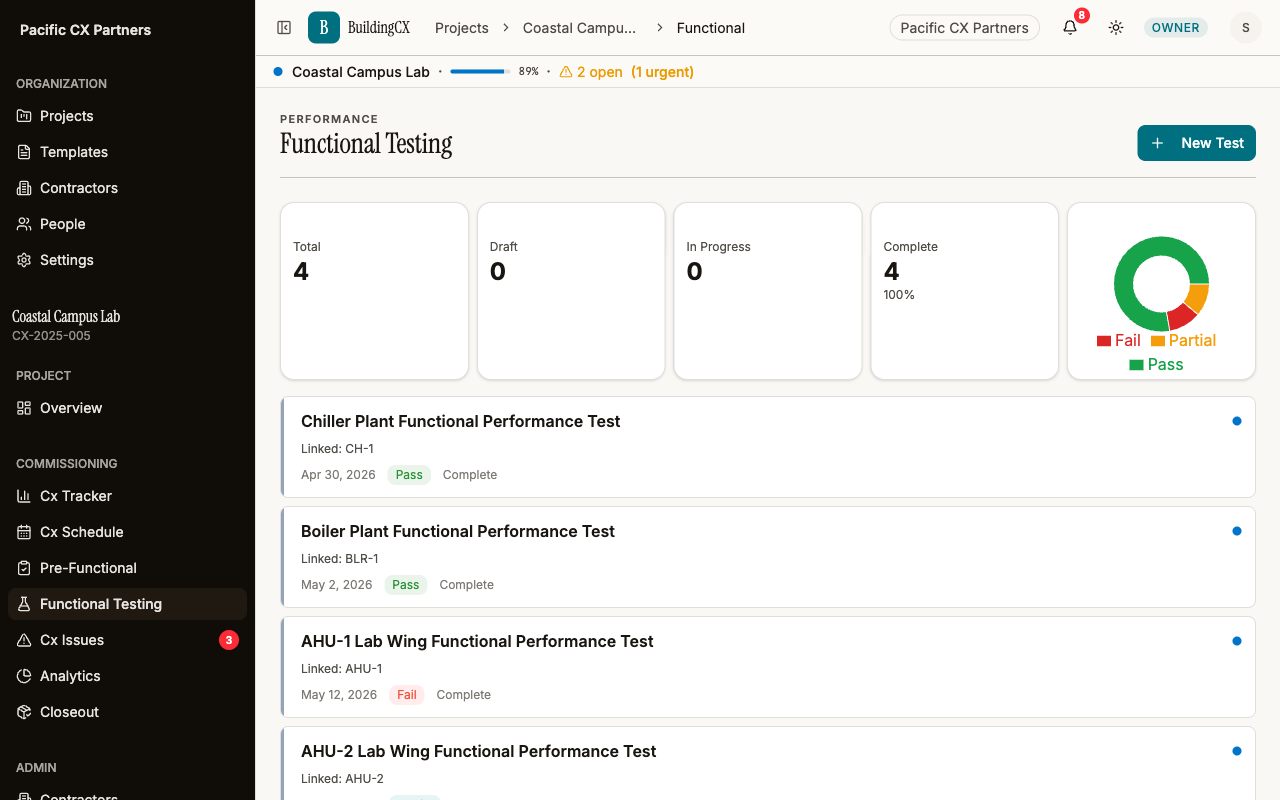
Functional performance testing verifies that systems work as designed under operating conditions. BuildingCX lets you define test procedures as a sequence of steps, each with its own pass/fail/partial result. The overall test result auto-derives from individual steps — no manual roll-up needed. Link tests to equipment tags so results flow back to the tracker.
Every step accounted for
Define the sequence once — the overall pass or fail follows automatically from what actually happened at each step.
Step-by-step procedures
Define each test step with a description. Add, reorder, and delete steps as the test evolves.
Per-step results
Each step gets its own pass / fail / partial result. Record what happened at each stage.
Auto-derived overall result
The overall test result calculates from individual steps. One fail means the whole test fails.
Equipment linking
Link tests to equipment tags so results show up on the tracker alongside checklists.
Multi-equipment support
A single test can cover multiple equipment tags. Results apply to all linked equipment.
Status tracking
Draft → In Progress → Complete. Track which tests are done and which still need to run.
Works with the rest of the platform
Pre-Functional Forms
Pre-functional checklists verify equipment before functional testing begins.
Learn more →Cx Issues
Failed test steps can generate issues for follow-up and resolution.
Learn more →Cx Tracker
Test results feed into the tracker for a complete equipment status picture.
Learn more →Ready to try it?
Start your first project free. No credit card required.
Get started free